Google Slides Template - Limitless: A Practical Design Solution for Modern Presenters
Finding the right balance between professional polish and creative flexibility is often the hardest part of building a presentation. The Google Slides Template - Limitless addresses this specific friction point by offering a design system that adapts to various narrative styles without requiring advanced graphic design skills. While the name suggests boundless creativity, its real value lies in its structured versatility. It serves as a foundational toolkit for adults who need to communicate ideas clearly, whether they are pitching a startup, showcasing a photography portfolio, or delivering a quarterly business review. Rather than forcing content into a rigid aesthetic, this template provides a framework where the visual hierarchy supports the message rather than competing with it.
Real-World Applications Across Professional Landscapes
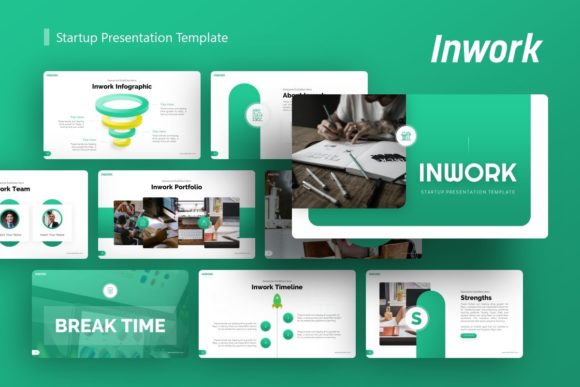
The most common question regarding any presentation asset is whether it actually fits the specific context of the user's work. The Google Slides Template - Limitless is engineered for cross-functional use, meaning it avoids niche styling that might alienate certain audiences. For entrepreneurs and startup founders, the template functions as a pitch deck accelerator. When seeking investment, clarity is currency. The included infographic slides allow founders to visualize market data, user growth, or financial projections without spending hours aligning shapes manually. This ensures that investors focus on the viability of the business model rather than being distracted by inconsistent formatting.
Creative agencies and freelancers face a different challenge. They must demonstrate their own design sensibility while presenting client work. In this scenario, the template acts as a neutral but sophisticated canvas. The picture placeholders are designed with drag-and-drop functionality that respects aspect ratios, making it ideal for photographers or designers displaying portfolios. Instead of wrestling with image crops, creatives can populate the slides quickly, ensuring the presentation itself feels like an extension of their brand identity. For corporate professionals, the master slide architecture allows for global changes. If a marketing manager needs to update the color palette to match a new campaign across thirty-five slides, they can do so in seconds rather than editing each slide individually.
Educational and Personal Use Cases
Beyond commercial applications, educators and students benefit significantly from pre-structured layouts. Teachers creating lesson plans or university lectures can utilize the handcrafted infographics to break down complex concepts into digestible visual segments. This reduces cognitive load for learners and saves educators preparation time. Similarly, individuals building personal portfolios for job applications can leverage the clean typography and spacious layouts to highlight case studies or resumes. In these personal contexts, the template removes the anxiety of "blank page syndrome," allowing users to focus entirely on curating their best work and articulating their value proposition.
Translating Technical Features into Tangible Outcomes
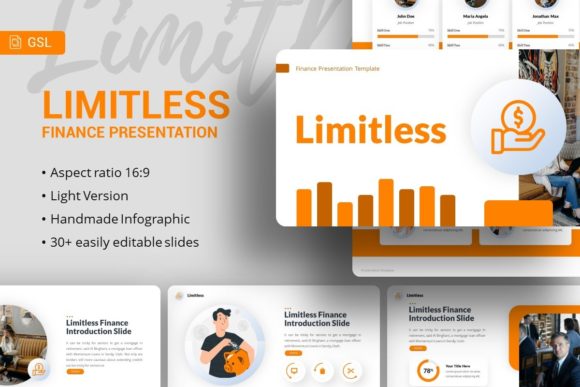
Feature lists often fail to explain why a specific capability matters during a high-pressure workflow. Understanding how the components of the Google Slides Template - Limitless function in practice helps users maximize efficiency. The inclusion of 35 unique slides per template is not just about volume; it is about providing enough variety to prevent visual fatigue during longer presentations. Having distinct layouts for team introductions, timelines, data visualization, and closing statements ensures the narrative flow remains dynamic.
The emphasis on pixel-perfect illustrations and resizable graphics solves a persistent pain point: distortion. Many free templates lose quality when resized or exported to different screen resolutions. Because this template utilizes vector-based elements and master slides, users can scale graphics for large conference screens or small laptop displays without losing sharpness. Furthermore, the fully editable nature of the content means no element is locked. If a user prefers a left-aligned title over a centered one, or needs to change an icon to better represent a specific industry, the modification process is intuitive. This level of control is essential for maintaining brand consistency across different departments or clients.
The Importance of Master Slides and Documentation
One of the most underutilized but critical features is the master slide integration. For users managing recurring presentations, such as monthly reports or weekly team updates, master slides act as a global style sheet. Changing a font or logo placement in the master view instantly propagates across all relevant slides. This feature alone can save hours of repetitive formatting work over the course of a year. Additionally, the included documentation file serves as a quick-start guide. While the template is designed to be user-friendly, having a reference manual ensures that less experienced users can troubleshoot issues independently without needing external support or tutorials.
Strategic Considerations Before Implementation
Before downloading or purchasing the Google Slides Template - Limitless, users should assess their technical environment and content readiness. It is vital to understand that the demo images are for preview purposes only and are not included in the final files. Users must have their own high-quality assets ready to populate the placeholders. Relying on low-resolution or irrelevant stock photos can undermine the premium feel of the template. Planning content before opening the file prevents the temptation to force text into spaces where it does not belong.
Users should also consider platform compatibility. Although marketed as a Google Slides template, the primary deliverable is often a PowerPoint .PPTX file. While Google Slides handles PPTX imports remarkably well, minor shifts in fonts or spacing can occasionally occur during conversion. Testing the file immediately after import allows users to make necessary adjustments before diving deep into content creation. Ensuring that the required fonts are installed or available via Google Fonts is another crucial preparatory step to maintain typographic integrity.
Evaluating Long-Term Value and Adaptability
When selecting a presentation resource, think beyond a single project. The true ROI of the Google Slides Template - Limitless comes from its reusability. Because the design is rooted in modern minimalism rather than fleeting trends, it remains relevant across multiple years and diverse topics. A consultant might use the same base template for a healthcare client in January and a fintech client in March, simply swapping colors and imagery to suit each sector. This adaptability makes it a sustainable asset for anyone who presents regularly.
Ultimately, the decision to use this template should be driven by the need for efficiency paired with professionalism. It is best suited for users who value structure but require the freedom to customize. By leveraging the handcrafted infographics, master slide architecture, and comprehensive layout options, presenters can elevate their communication standards without becoming full-time designers. Whether for a high-stakes pitch deck, a creative portfolio, or an educational lecture, the template provides the reliable foundation necessary to let ideas shine. Investing time in learning its specific workflows pays dividends in every subsequent presentation, transforming what was once a tedious chore into a streamlined, confident process.