Google Slides Template - Olympia: Modern Presentation Design
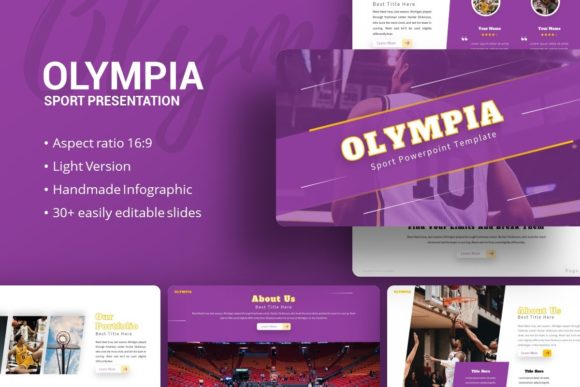
Creating a pitch deck or company profile that feels both professional and visually distinct is a constant challenge for entrepreneurs and creative agencies. The Google Slides Template - Olympia addresses this friction point by offering a structured yet flexible design system built specifically for modern storytelling. Unlike generic templates that force your content into rigid boxes, Olympia provides a comprehensive visual framework that adapts to various narrative styles, from startup funding rounds to personal photography portfolios. Its aesthetic balances corporate professionalism with creative flair, utilizing clean lines, ample whitespace, and dynamic layouts that keep audiences engaged without overwhelming them.
The personality of this template lies in its versatility. It avoids the sterile look of traditional business slides while steering clear of overly decorative elements that can distract from key data. For marketers and brand strategists, this balance is crucial. It allows the presentation to serve as an extension of your brand identity, maintaining consistency across digital touchpoints. Whether you are presenting quarterly results or showcasing a new product line, the underlying grid system ensures that every slide feels intentional. This level of polish signals to investors and clients that you value precision and clarity, traits that are often subconsciously associated with competence and reliability.
Versatile Applications Across Creative and Corporate Sectors
While many presentation assets are pigeonholed into specific industries, the Google Slides Template - Olympia functions effectively across a broad spectrum of use cases. For creative agencies and designers, the template acts as a digital canvas where editorial design principles meet functional utility. The included picture placeholders are designed with aspect ratios that respect photographic composition, making it ideal for portfolio reviews or client case studies. Photographers can utilize the full-bleed image layouts to let their work speak for itself, using text only as subtle support rather than competing visual noise.
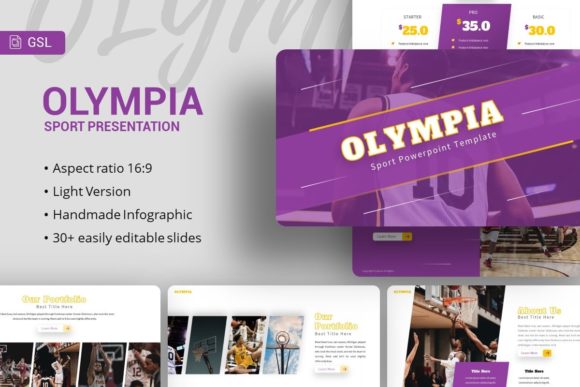
In the corporate and startup ecosystem, the template shines during high-stakes communications. A pitch deck requires a specific rhythm—problem, solution, market size, traction—and Olympia’s 35 unique slides provide pre-built structures for each stage of this narrative. However, it goes beyond standard bullet points. The inclusion of handcrafted infographics allows businesses to visualize complex data sets without resorting to external graphic design software. For small business owners and content creators, this means you can produce social media graphics or webinar slides that match your website’s web design aesthetic, creating a cohesive user experience across all platforms.
Personal branding also benefits significantly from this asset. Freelancers and consultants often struggle to translate their expertise into a visual format. Olympia offers a sophisticated backdrop for personal portfolios that elevates perceived value. By utilizing modern typography and structured layouts, individuals can present their services with the same level of polish as established firms. This is particularly relevant for those in competitive fields where differentiation is key. The template’s ability to transition seamlessly between text-heavy informational slides and visual showcases makes it a practical tool for anyone needing to communicate value quickly and effectively.
Enhancing Readability and Visual Hierarchy
A beautiful template fails if it sacrifices legibility. The Google Slides Template - Olympia prioritizes information architecture, ensuring that design choices actively support comprehension. Effective visual hierarchy guides the viewer’s eye through the content in a logical sequence, highlighting key takeaways before supporting details. This template achieves this through deliberate contrast in font weights and strategic use of negative space. When presenting dense information, such as financial projections or technical specifications, the layout prevents cognitive overload by breaking content into digestible chunks.
Typography plays a central role in this functionality. While the template includes specific font recommendations, understanding how to leverage these typefaces is essential for maximizing impact. The interplay between headings and body text establishes a clear roadmap for the audience. If you choose to customize the fonts, consider pairing a bold sans serif font for headers with a highly readable serif or lighter sans serif for body copy. This classic font pairing technique improves scanning speed and retention. Avoid using script fonts or handwritten fonts for large blocks of text, as they reduce readability on projected screens or smaller devices. Reserve decorative typefaces strictly for accent elements or short titles to maintain a professional tone.
Consistency is another pillar of audience engagement. When slides jump between different alignment styles or color treatments, viewers expend mental energy deciphering the format rather than absorbing the message. Olympia’s master slide system enforces global consistency, meaning changes to colors, logos, or fonts propagate instantly across the entire deck. This not only saves time but also reinforces brand perception. A unified visual language suggests organizational maturity and attention to detail. For publishers and bloggers repurposing written content into presentations, this structure helps translate long-form articles into concise, visually appealing narratives without losing the core message.
Practical Customization and Asset Management
Adopting a new template should streamline your workflow, not complicate it. The Google Slides Template - Olympia is engineered for easy customization, featuring 35 slides based on master layouts. This architecture allows users to drag and drop images directly into placeholders, eliminating the need for manual cropping or resizing. All graphics are vector-based or fully editable, ensuring that illustrations remain crisp regardless of screen size or export resolution. This pixel-perfect quality is vital for packaging design mockups or high-resolution print exports, where blurry assets can undermine credibility.
When evaluating this template for your next project, test it against your specific content needs before committing. Download the file and replace sample content with your actual text and imagery. Does the character count fit naturally, or does it require excessive editing? Do the infographic styles align with your data types? These practical checks prevent mid-project frustration. Additionally, review the included documentation file. It often contains hidden tips on unlocking specific features or accessing the vector icon library, which can significantly expand the template's utility for logo design concepts or custom diagramming.
Licensing and asset management are equally important considerations for commercial users. Always verify the usage rights for any bundled fonts or icons, especially if you plan to distribute the final presentation as a downloadable PDF or embed it on a public website. While Olympia includes many design assets, some premium elements may require separate attribution or licensing for broader commercial application. Furthermore, remember that demo images are for preview purposes only. Sourcing high-quality, licensed stock photography or original visuals that match the template’s mood is necessary to achieve the polished look seen in previews. Investing time in selecting appropriate imagery ensures the final output resonates authentically with your target audience.
Ultimately, the value of the Google Slides Template - Olympia extends beyond its immediate visual appeal. It serves as a foundational tool for better communication, helping designers, entrepreneurs, and marketers articulate their ideas with clarity and confidence. By leveraging its robust feature set—from resizable infographics to master slide consistency—you can focus less on formatting mechanics and more on crafting a compelling narrative. Whether you are securing investment, winning a creative contract, or simply organizing your thoughts for a team meeting, this template provides the professional scaffolding needed to turn abstract concepts into persuasive visual stories.