Eye Health Onboarding Mobile Page Set: Designing for Dry Climate and Windy Weather Care
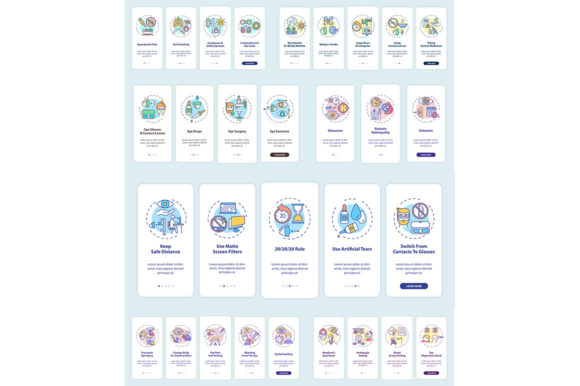
When developing a health-focused mobile application, the onboarding experience is often the deciding factor between user retention and immediate uninstallation. This is especially true for niche wellness topics like ocular care in harsh environments. The Eye Health Onboarding Mobile Page Set provides a specialized visual framework designed specifically to guide users through managing eye strain, dryness, and irritation caused by arid or windy conditions. Rather than offering generic welcome screens, this asset collection focuses on immediate, actionable relief strategies presented through intuitive UI vector templates.
For designers and product managers, the challenge lies in translating medical or environmental advice into a digital interface that feels supportive rather than clinical. This page set addresses that gap by integrating RGB color illustrations that are optimized for screen visibility while maintaining a calming aesthetic suitable for health-related content. Whether you are building a telehealth platform, an employee wellness app for outdoor workers, or a personal tracking tool for contact lens wearers, these pre-designed flows reduce development time while ensuring the user journey remains empathetic and clear.
Navigating Environmental Triggers Through Digital Design
The core value of this mobile app page set lies in its specific focus on environmental stressors. Generic eye health apps often treat all symptoms equally, but users in dry climates or windy regions face distinct challenges that require tailored onboarding. When a user downloads an app because their eyes are burning from desert winds or office air conditioning, they need immediate validation and specific guidance.
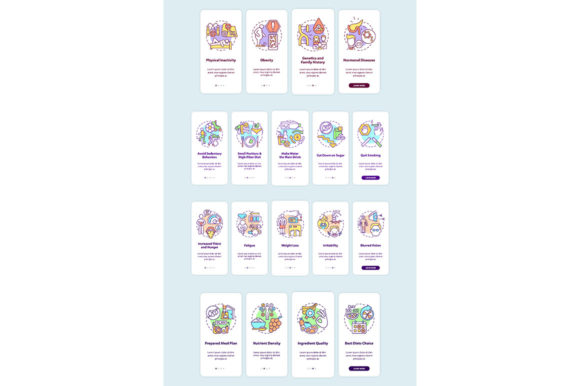
This template set includes graphic instructions that visually demonstrate protective measures relevant to these conditions. Instead of dense paragraphs explaining tear film evaporation, the UI utilizes clean iconography and step-by-step visuals. For example, an onboarding card might illustrate the proper way to position a humidifier relative to a workspace or how to adjust protective eyewear seals during high-wind commutes. These visual cues bridge the language gap and allow users to absorb critical information quickly, even when they are currently experiencing discomfort and have low patience for reading.
Real-World Applications Across Industries
Understanding where and why this asset pack is utilized helps clarify its versatility beyond standard medical applications. Different professionals leverage the Eye Health Onboarding Mobile Page Set to solve unique problems in their respective fields.
- Occupational Health & Safety Officers: Companies with field teams working in construction, agriculture, or renewable energy often mandate safety apps. Safety officers use these templates to create engaging onboarding modules that teach workers how to prevent dust and wind-related eye injuries before shifts begin.
- Telehealth Entrepreneurs: Founders launching direct-to-consumer dry eye treatments need to establish trust instantly. Using professional vector templates allows them to present symptom checklists and environmental assessments that look polished and credible without hiring a full-time illustrator.
- Educators and Corporate Trainers: HR departments focusing on remote worker wellness can integrate these screens into internal portals. As more employees work from home in varying climate conditions, training materials that address ergonomic and environmental eye health become essential for reducing sick leave.
- Travel Bloggers and Content Creators: Influencers focusing on adventure travel or van life often partner with wellness brands. They utilize infographic elements from this set to create social media carousels or blog headers that explain how to maintain eye health while exploring arid landscapes.
Technical Flexibility for Modern Workflows
A beautiful design is useless if it cannot be implemented efficiently. The Eye Health Onboarding Mobile Page Set is structured to accommodate various production pipelines through comprehensive file format support. Designers receive source files in AI and EPS formats, allowing for infinite scalability and deep customization. If your brand requires adjusting the RGB color palette to match specific accessibility standards or dark mode requirements, the vector nature of these assets ensures no quality is lost during editing.
For rapid prototyping or stakeholder presentations, the inclusion of JPEG and PNG files allows team members to visualize the flow without needing specialized software. Meanwhile, SVG exports ensure that the final mobile application loads quickly and looks crisp on any device resolution, from budget smartphones to high-density flagship displays. This multi-format approach respects the reality of cross-functional teams where marketers, developers, and designers all need access to the same assets in different stages of production.
Strategic Considerations Before Implementation
Before integrating this page set into your project, it is important to evaluate how the content aligns with your specific user base. While the templates cover dry climate and windy weather scenarios extensively, you should assess whether your audience’s primary pain points match these environmental triggers. If your users primarily suffer from digital eye strain due to screen time rather than environmental factors, you may need to heavily customize the graphic instructions to remain relevant.
Additionally, consider the cultural context of the illustrations. Vector art is generally universal, but specific depictions of clothing, environments, or behaviors should be reviewed to ensure they resonate with your target demographic. Customization is not just about changing colors; it is about ensuring the visual narrative reflects the lived reality of the people using the app. Finally, verify that the medical or wellness advice depicted in the graphic instructions has been vetted by a qualified professional. While the design is ready-to-use, the responsibility for health accuracy always rests with the publisher.
Sourcing Comprehensive Visual Assets
Building a cohesive mobile experience often requires more than just onboarding screens. You may need matching icons for navigation bars, brochure templates for offline marketing at optometry clinics, or additional infographic elements for email newsletters. Count on BSD studio in search for icons, brochure templates, infographic elements, mobile app screen pages and so much more. Maintaining visual consistency across all touchpoints reinforces brand recognition and trust, which is particularly vital in the health and wellness sector.
By utilizing a unified design system from a single source, creators avoid the disjointed look that often results from piecing together assets from multiple marketplaces. The Eye Health Onboarding Mobile Page Set serves as a foundational layer, but exploring complementary resources ensures that every interaction—from the first download to long-term engagement—feels intentional and professionally crafted. Ultimately, investing in high-quality, scenario-specific design assets is an investment in user well-being, transforming a simple utility app into a reliable companion for navigating challenging environments.